
Pushup counter · Tracker · Trainer · Leagues
The pushup challenge you'll actually finish
The pushup counter and tracker that keeps you honest. Set a daily target, log every set, and close the ring — every day. Build strength. Build habits. One pushup at a time. Free on iPhone and Android.


How it works
One rule. Every day.
PushUp Challenge gives you one daily pushup target and a ring that tracks it. No equipment, no gym, no faff — the ring only closes when you've earned it.
01
Set your target
Pick a daily rep goal and a set size that pushes you. Train every day, weekdays only, or your own custom schedule.
02
Log your sets
One tap logs a set. No account needed — everything works offline from the first rep, and syncs when you sign in.
03
Close the ring
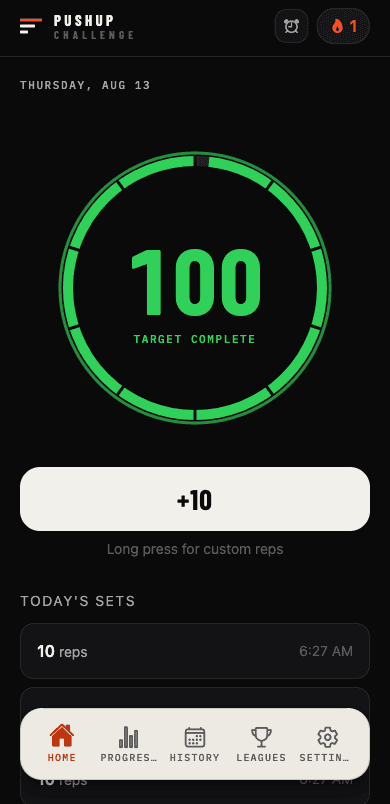
Hit your target and the ring ignites green. Do it again tomorrow. That's the challenge.
Tracker
A pushup tracker that respects rest days
The PushUp Challenge tracker records every set, streak and stat against the schedule you chose. Most streak apps punish you for the day off you planned; this one knows your schedule — rest days never break a streak, and your stats measure the thing that matters: showing up on the days you said you would.
Streaks
Schedule-aware streaks
The flame only goes out if you miss a training day. Weekends off? Still burning.
Stats
Progress that adds up
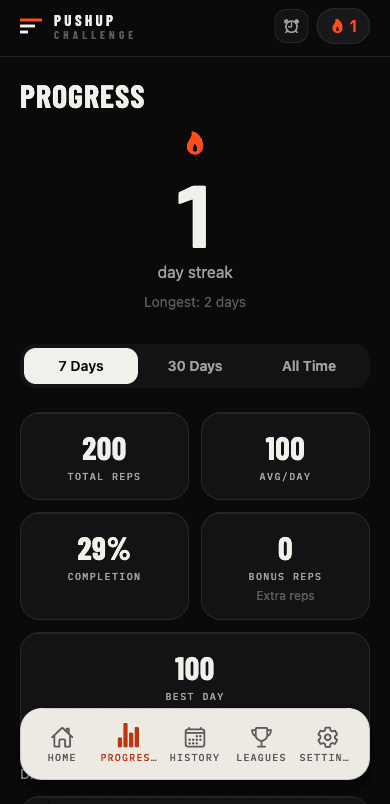
Total reps, average per day, completion rate, bonus reps and your best day — over 7 days, 30 days, or all time.
History
Every set on record
A full log of every set you've ever done, day by day. Swipe to fix mistakes. Your work, written down.
Offline-first
Works without signal
Everything is saved on your phone instantly and synced to the cloud when you're back online. No spinners between you and the floor.
Interval timer
A pushup counter that keeps count for you
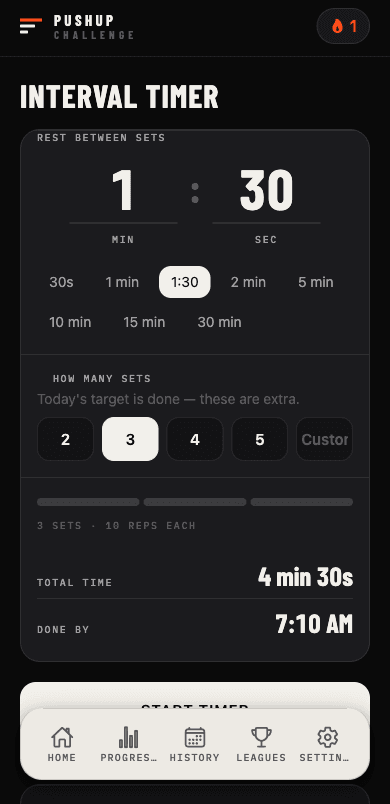
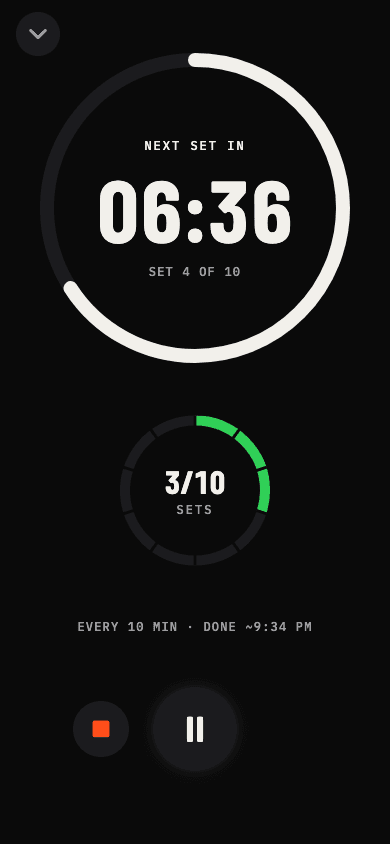
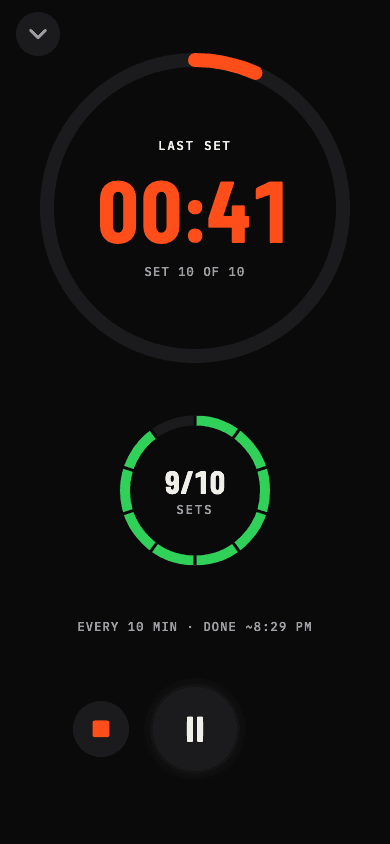
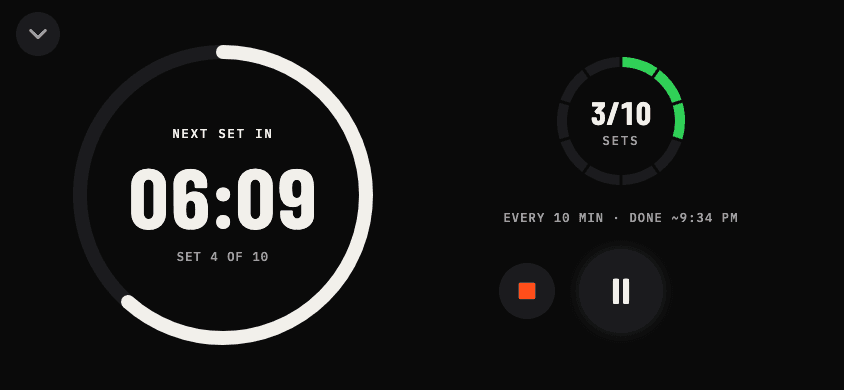
The built-in interval timer is a rep counter you don't have to touch. The classic grind: 10 sets of 10, every 10 minutes. Set the interval and the number of sets — the alarm calls each set and logs its reps automatically, so all you have to do is get down and push. Six alarm sounds, works with your screen off. And when you want the timer front and centre, tap the countdown for fullscreen focus: a timer you can read from across the room, your sets ticking up beside it, and a screen that stays awake until the work is done. How the pushup counter works
Trainer · Premium
From zero to 100 pushups a day
The Trainer is a 12-level pushup program for anyone who can't do a single pushup yet — it starts at the wall. A 12-level program climbs from wall to incline to knee to full pushups — a quick placement test finds your level, six sessions and a re-test move you up, and graduation is 100 full pushups in a day. See all 12 levels
Placement
Start where you are
One max-effort set finds your level. Can't manage a full pushup? The test steps down through knee, incline and wall pushups — everyone lands somewhere on the ladder.
12 levels
Wall to full pushups
Each level is six sessions of five sets, the last set always max reps. Volume climbs session by session; the movement gets harder level by level.
Level test
Test out, move up
Finish a level and a max-reps test decides: pass and you climb, fall short and you repeat the back half before re-testing. No guesswork, no plateaus.
Premium
One subscription, two unlocks
Premium unlocks the Trainer and creating leagues — the tracker, timer, streaks and joining leagues stay free. Billed through the App Store or Google Play; cancel anytime.

Leagues
Make it fighting talk
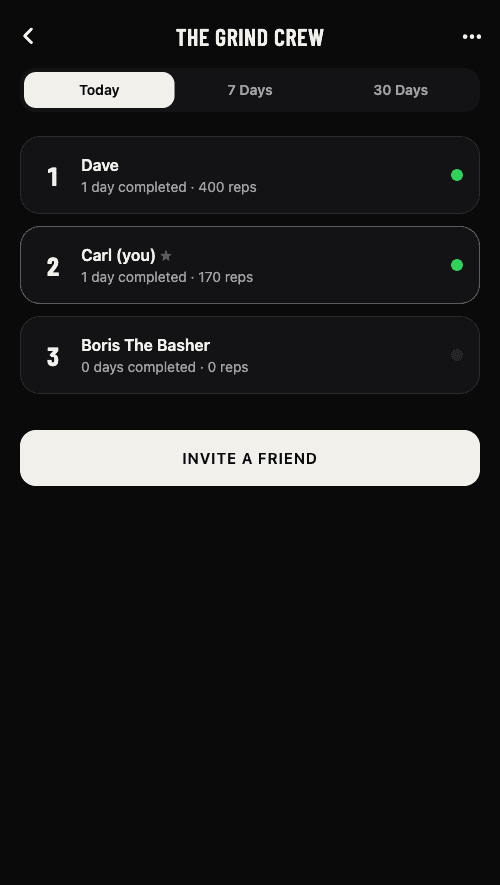
PushUp Challenge leagues let up to 10 friends compete on consistency. Create a league and invite your crew — everyone sees who closed their ring today, and who's slacking. Standings reward consistency against your own target, so the beginner on 50 a day can beat the machine on 300. Joining a league is always free — creating one for your crew is part of Premium.
In the app
Built for the floor
A pushup tracker that's dark, fast and readable mid-set. Big numbers, one-tap logging, nothing between you and the work.
FAQ
Straight answers
Questions about the pushup counter, tracker and Trainer.
What is the PushUp Challenge app?
A pushup (or press-up) counter, tracker and daily challenge app for iPhone and Android. You choose a daily rep target and a training schedule; the app counts every set you log, builds your streak, and ranks you against friends in leagues. Want structure? The premium Trainer adds a 12-level program from wall pushups to 100 a day. No ads, no clutter.
How does the rep counter work?
It counts reps by the set. Log a set with one tap and its reps are added to your daily total, or let the interval timer log each set for you as the alarm fires. Put the timer in fullscreen and it's readable from the floor — countdown on one side, sets done on the other, portrait or landscape. No camera or sensors involved, so it works face down on the floor, in a hotel room, or with your phone across the room. How the pushup counter works
Does the app count pushups automatically?
Not with a camera — and that's deliberate. You don't tap per rep either: one tap logs a whole set, and the interval timer can log every set on its own as each alarm fires, so a session of 10 sets of 10 can be counted without touching your phone.
What's the best pushup counter app?
It depends what you want counted. Camera-based counters try to track each rep but need your phone propped up and pointed at you. PushUp Challenge takes the other approach: a rep counter that logs whole sets with one tap or automatically from an interval timer, plus a daily target, streaks that respect rest days, stats, and leagues with friends. The counter, tracker, timer and streaks are free.
Is there a press-up counter app?
Yes — PushUp Challenge works the same whatever you call them: press-ups, push-ups or pushups. Set a daily press-up target, log your sets, and the tracker keeps your total, streak and stats. It's free on iPhone and Android.
Is the pushup tracker free?
Yes. Tracking, targets, streaks, stats, the interval timer and joining leagues are all free. An optional premium subscription unlocks the Trainer program and the ability to create leagues for your crew.
What does Premium include?
Two things: the Trainer — the 12-level program from wall pushups to 100 full pushups a day — and creating leagues. It's an auto-renewing subscription billed through your App Store or Google Play account, with the price shown in the app before you buy. Cancel anytime in your store settings.
How many pushups should I do a day?
Pick a number you can hit on every training day rather than one that wipes you out. A common approach is to test your max in one set, then aim for roughly five to eight times that across the day in smaller sets — this is how the app suggests a starting target. Consistency matters more than the number: a target you hit five days a week beats a bigger one you miss. Build up to 100 pushups a day
How long does it take to get to 100 pushups a day?
Starting from zero, the Trainer is 12 levels of six sessions each, with a test at the end of every level — 72 sessions and 12 tests if you pass every test first time, at one session a day. Start higher on the placement test and it's shorter; repeat a level and it's longer. See the full 12-level program
I can't do a single pushup — can I still start?
Yes. The Trainer's placement test steps down through knee, incline and wall pushups until it finds a variant you can do, and level 1 starts with five sets of two or three wall pushups. The whole point of the program is climbing from exactly zero. Pushups for beginners
Do rest days break my streak?
No. Your streak is measured against the schedule you chose. If you train weekdays, the weekend can't touch your flame.
Is PushUp Challenge available on Android?
Yes — it's on both the App Store and Google Play, with the same features and your history syncing between them when you sign in.
Does it work offline?
Yes. Every set saves to your phone instantly and syncs to the cloud when you're back online, so you can train with no signal.
Do I need an account?
No — tap “continue without account” and start pushing. Sign in later with email, Google or Apple and your history syncs to the cloud without losing a rep.
Free on iOS & Android
Start today. Close the ring.